Doing All of This with Autopilot
Every action in this section has a form in the interface, and none of them require it. Autopilot can create teams and groups, staff them, change roles, nest one team inside another, and archive and restore, from a plain-language request.
This is usually the faster path. One sentence can do what several forms do, and Autopilot applies the same rules the interface applies, so it refuses the same things for the same reasons.
What to say
Describe the outcome. There is no syntax to learn and no need to name a tool.
| What you want | What to say |
|---|---|
| Create several teams at once | "Create three teams: Support Team, Tier 2 Escalations, and Finance." |
| Create a group rather than a team | "Create a group called Customer Support with the description Front-line support for customer questions." |
| Nest one team inside another | "Nest Tier 2 Escalations under Support Team with member access." |
| Staff a group | "Add Maya as admin and Devon as builder of Customer Support." |
| Change somebody's role | "Make Priya an admin of Tier 2 Escalations." |
| See who really has access | "Who are the effective members of Customer Support?" |
| Archive and restore | "Archive the Finance team." / "Restore Finance." |
Say "team" or "group" and Autopilot uses that literally, because the two are different things that cannot be converted later. If you say "team" it creates a list of people. If you say "group" it creates a container that can own AI Employees and knowledge bases. See Groups and Teams.
Creating several teams in one request
Ask for three teams and a nesting link, and Autopilot creates all three in parallel, then adds the nesting.
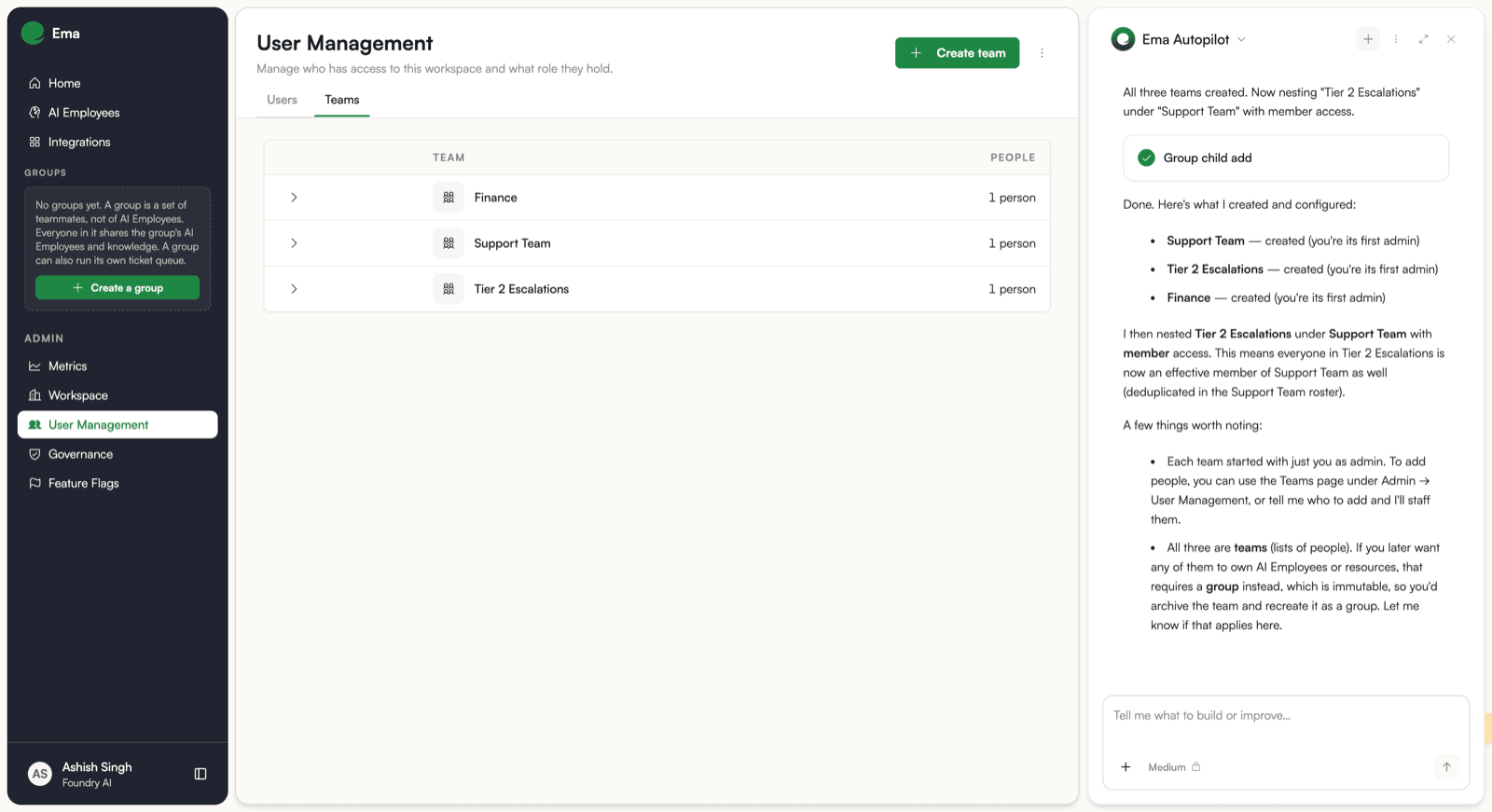
It reports what it did in the same terms the interface uses: each team created with you as its first admin, and the nesting described by what it changes about access.
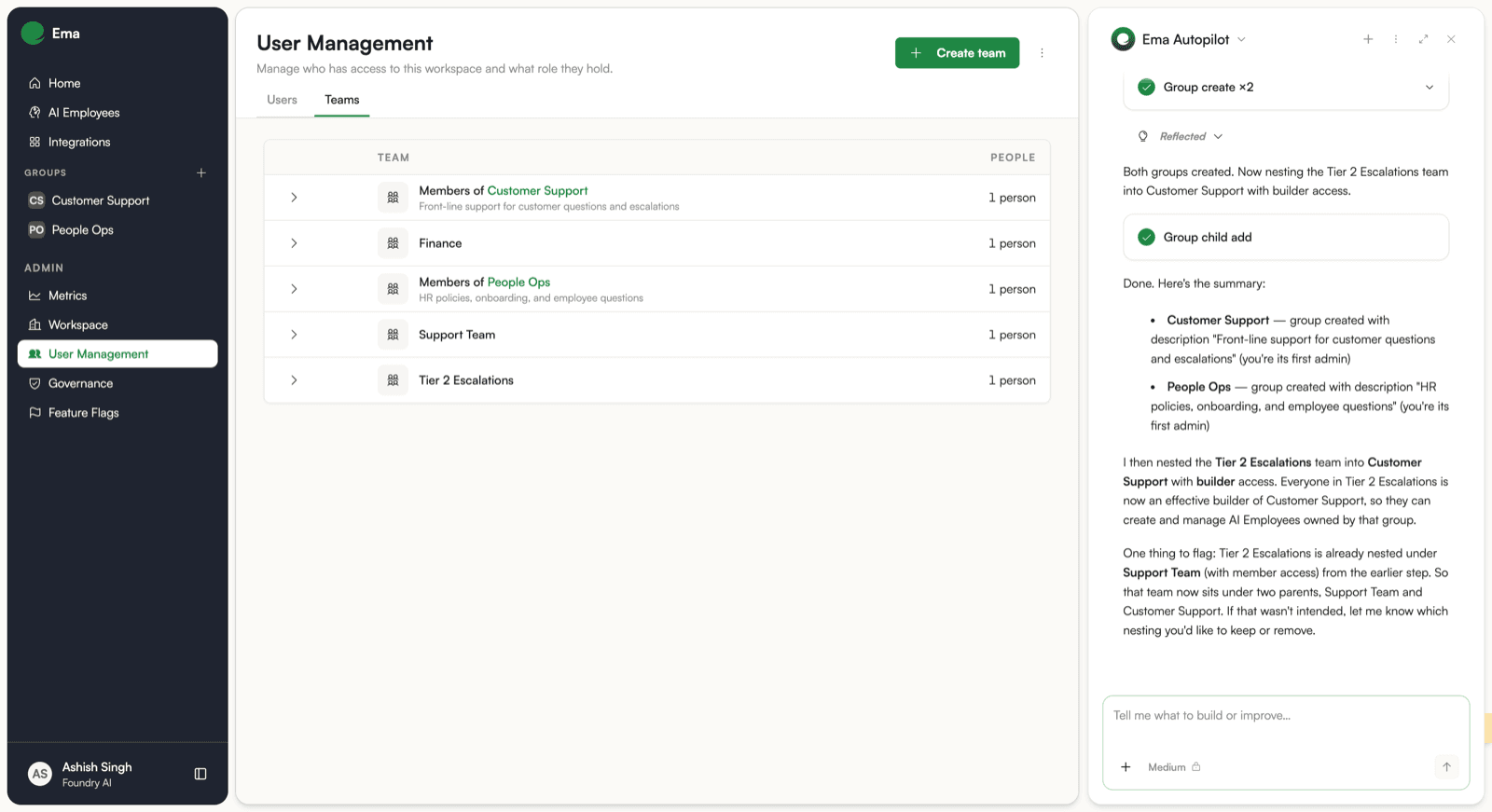
Creating groups
The same request shape creates groups. Autopilot confirms the type it used, because the choice is permanent.
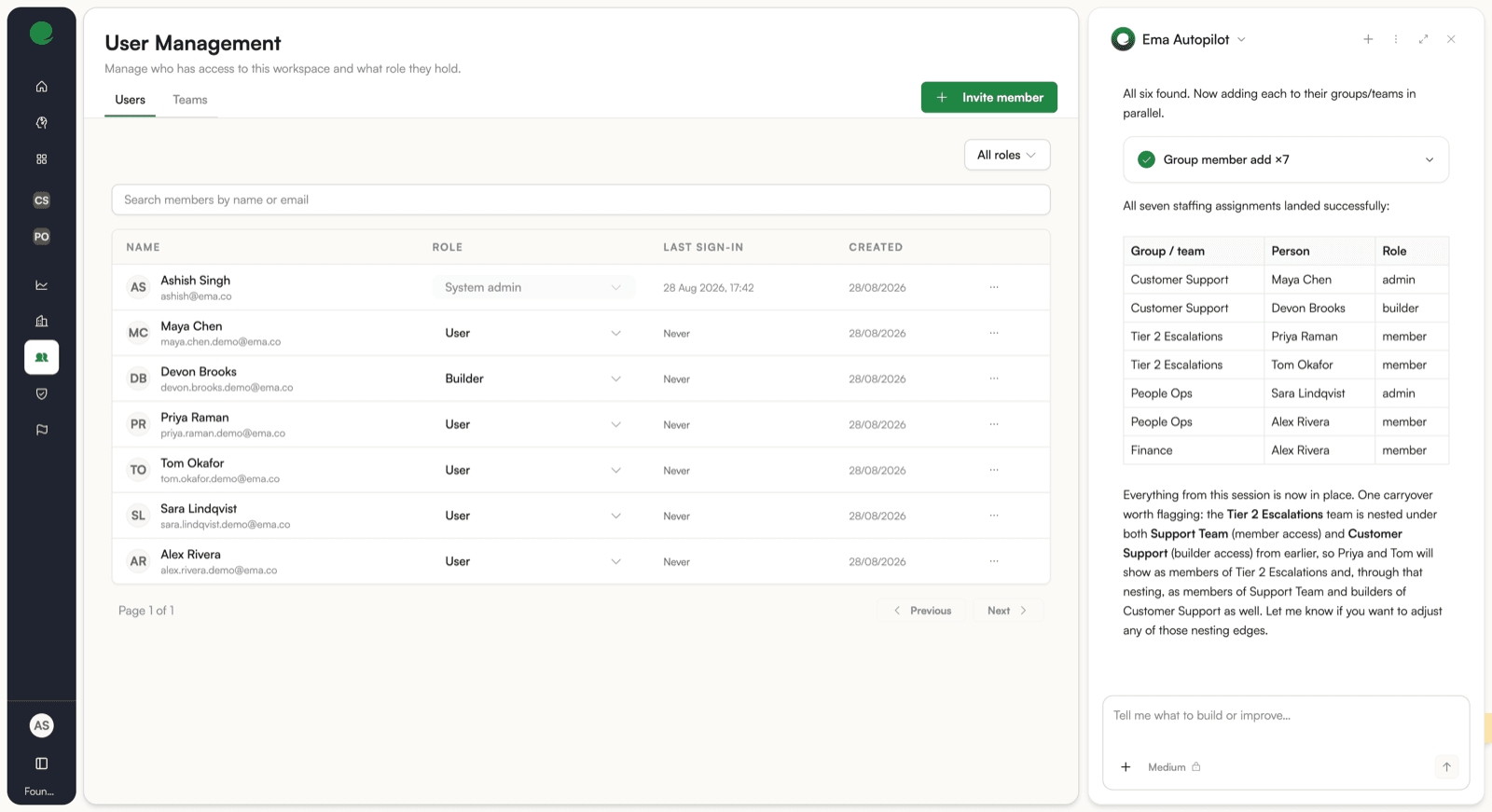
Staffing in one step
Give it the whole staffing plan in one sentence per group and it resolves the people, then applies every assignment together.
The rules still apply
Autopilot is held to the same rules as the forms. It can only do what your role allows, and it will not remove or demote a team's only admin. See Teams.
Building workflows with Autopilot
Autopilot can also author workflow nodes, including Nudge (notify_user) nodes. You can ask it to add a Nudge node to a workflow, and it will create the node and configure it through a dedicated tool. The node is created first, then configured in a separate step, which is the same pattern as other non-agent node types.