Sharing and Access
Access to a group comes from two places: people added to it directly, and teams nested inside it. The Permissions tab of the group page shows both, and everything the group holds is reached through them.
Ask Autopilot instead. Everything on this page can be done by asking Autopilot in plain language. It creates teams and groups, adds and removes people, changes roles, nests teams, and archives and restores, all without opening a form. See Doing All of This with Autopilot.
The Permissions tab
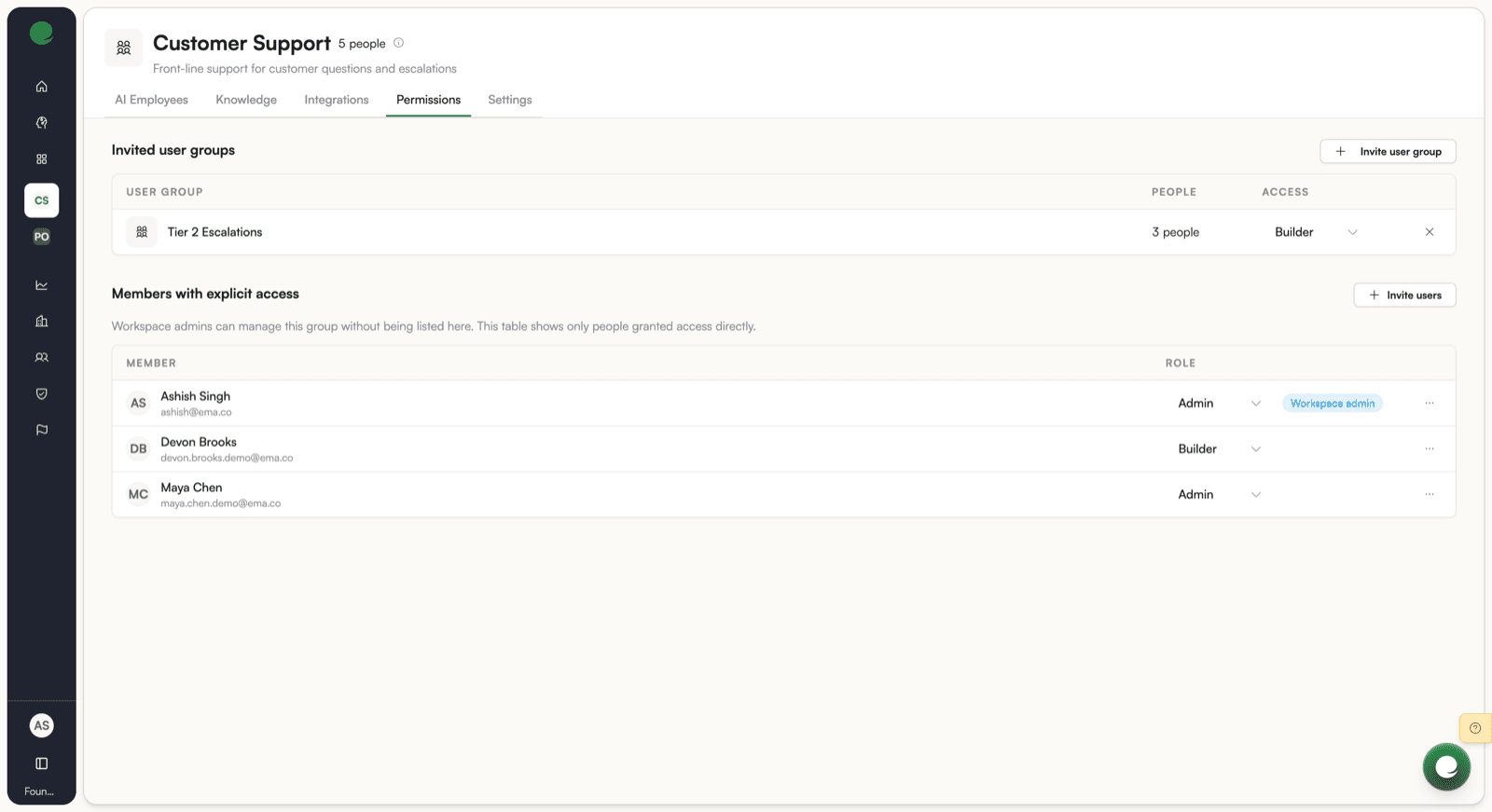
Two sections, in the order that matters:
- Invited user groups, the teams nested into this group, each with the access their people inherit.
- Members with explicit access, the people added to this group by name, each with their role.
Everybody with access to the group can read this tab. Only group admins and Workspace admins see the controls that change it.
The tables are not the whole list. Workspace admins manage the group without appearing in either table, and a person reaching the group through a nested team is not in the members table either. Use the People count for the real number: unique people, including everyone in nested teams.
Inviting people
Invite users searches the people already in your Workspace by name or email. Select everybody you want, pick a role, and confirm.
A group gathers people who already exist. To bring somebody new into the Workspace, invite them there first, then add them here. See User management.
Roles are described in Teams.
Inviting teams
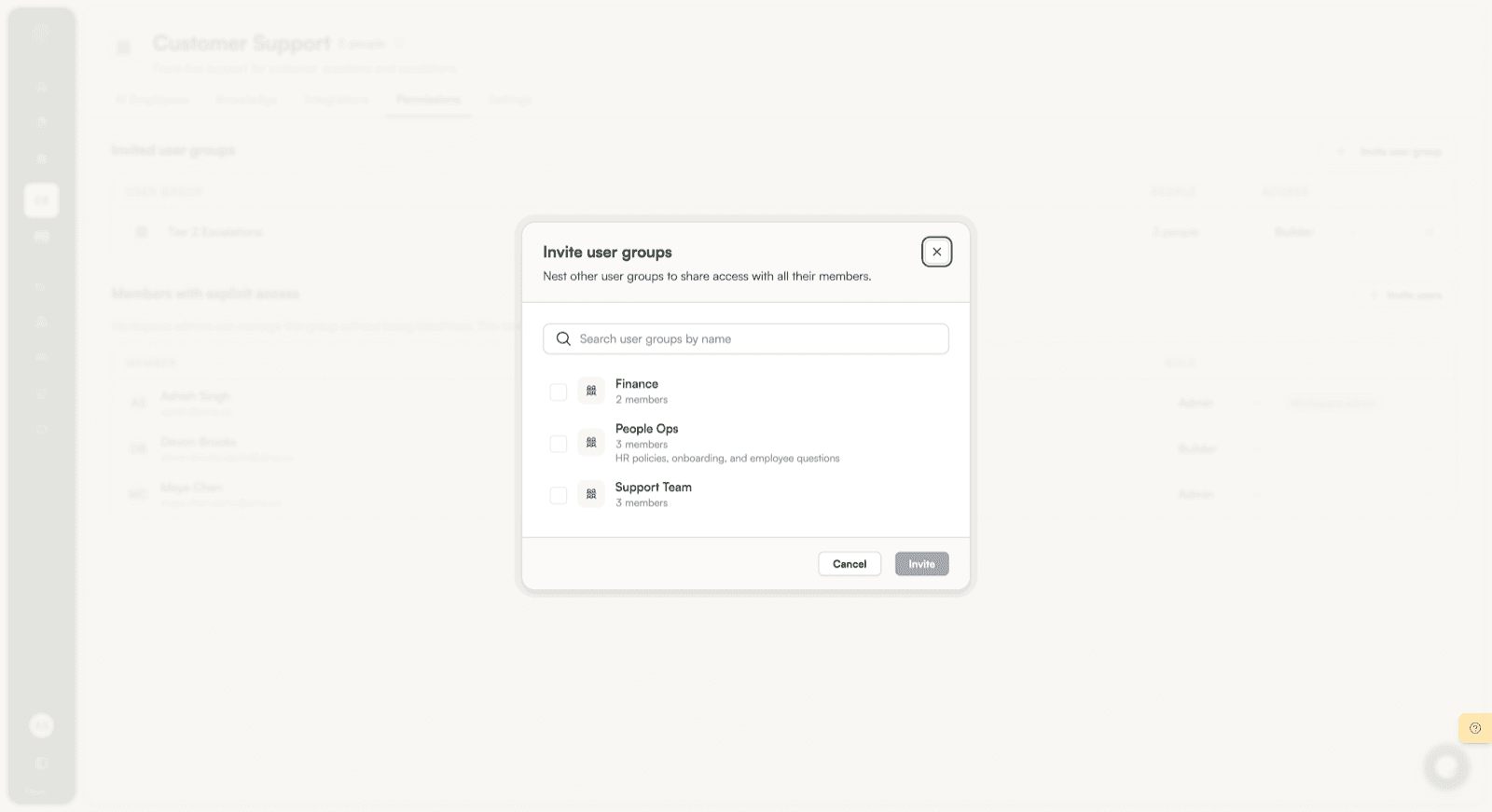
Invite user group nests an existing team inside the group. Everybody in that team gets access, including people the team inherits from teams nested inside it.
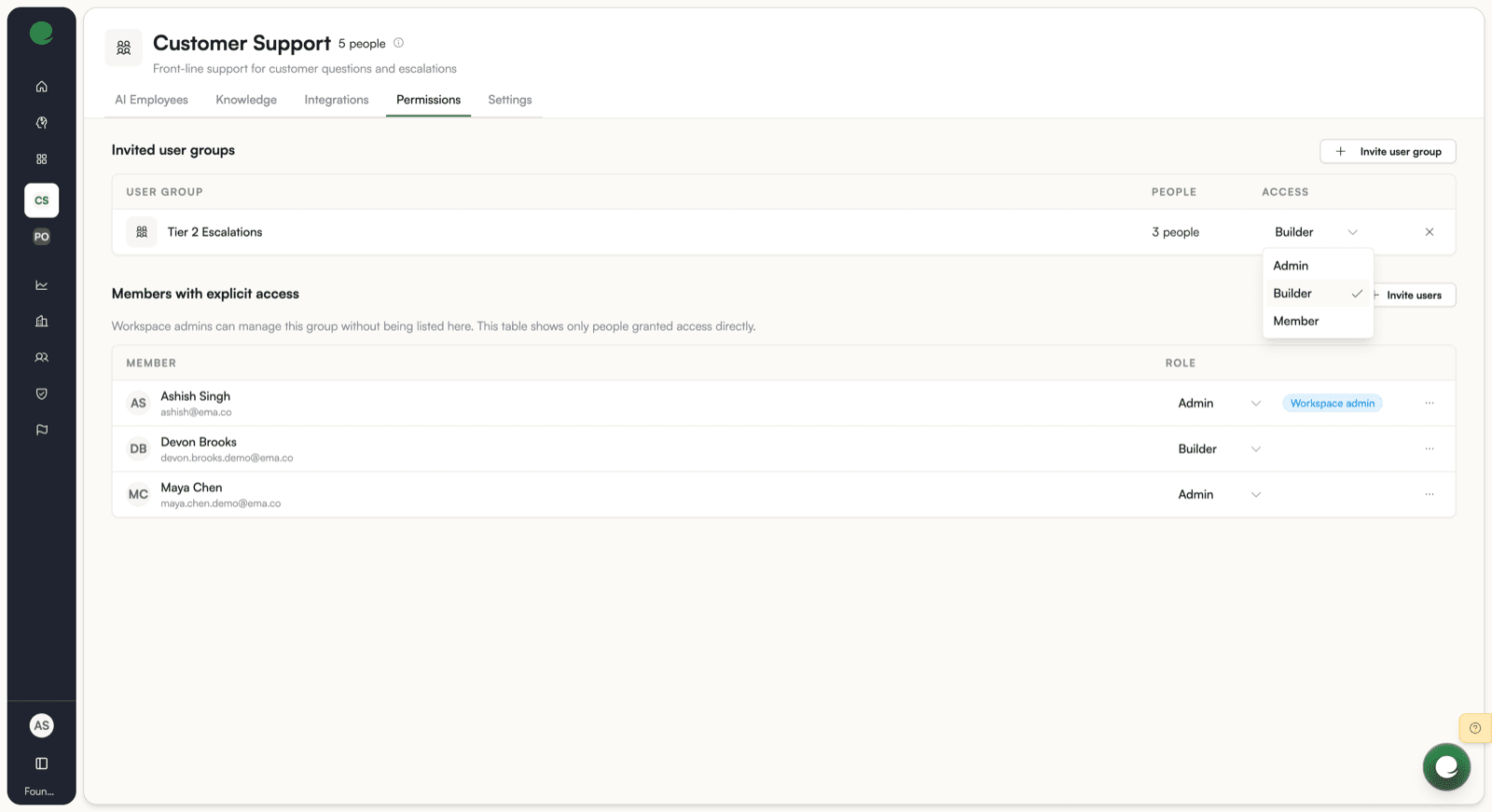
The nesting link carries its own access level, shown in the Access column. A team invited with builder access gives every one of its people builder rights in this group, whatever role they hold in their own team. Change the level from the same dropdown, and removing the link removes only the inherited access.
Nesting is the mechanism to use when the same set of people needs access to several groups. Maintain the team once, and every group it is nested into follows.
Effective membership
Effective membership is the answer to "can this person reach this group, and with what role?" once every path has been followed.
It is calculated by walking the whole nesting tree, taking every path a person has into the group, and keeping the strongest role found. The order is admin, then builder, then member. So somebody who is a plain member directly and a builder through a nested team is a builder here.
People are counted once no matter how many paths reach them, so the People count and the members table rarely match.
Everything about a group is decided on effective membership, not on the direct list: opening the group page, using its AI Employees and knowledge bases, reading and writing its tickets.
All Employees
The built-in All Employees team means everyone in the Workspace, resolved when it is read rather than stored as a list. Nest it into a group to give the whole Workspace access, and it stays correct as people join and leave. See Teams.
Group access and direct shares together
A resource can be reached through a group and directly at the same time. The two are added together, and neither interferes with the other.
- Removing somebody from a group does not remove a direct share they hold on a resource.
- Removing a direct share does not remove what somebody gets through the group.
- Where the two disagree about how much access somebody has, the stronger one applies.
This matters when you are taking access away. Removing a person from a group is not enough on its own if they were also invited to a resource by name. Check both.
How AI Employee access is resolved
Access to an AI Employee is computed as a union of every scope that contains it. A scope contributes access and none subtracts it. The three scopes are:
- Per-AI-Employee grant: a role assigned directly on the AI Employee via the Permissions tab. This grant admits on its own, regardless of the person's Workspace role. A Workspace user granted Admin on one AI Employee holds full edit and manage rights on that AI Employee.
- Owning group's role: if the AI Employee is owned by a group, the person's effective role in that group confers the matching tier on the AI Employee.
- Workspace role: the person's Workspace-level role, which sets a baseline across all open AI Employees.
Each scope that applies is added to the result. No scope can take away what another scope grants.
One exception: the access floor. Principals whose Workspace access has been fully revoked (no_access or external_chat_visitor) are denied on every AI Employee before any scope is checked. A stale per-AI-Employee grant does not override this.
Reference: endpoints
| Action | Endpoint |
|---|---|
| Read a group with its members, nested teams, and parents | GET /groups/{id} |
| List everybody with access, deduped and paginated | GET /groups/{id}/effective-members |
| Add a person | POST /groups/{id}/members |
| Change a person's role | PATCH /groups/{id}/members/{userID} |
| Remove a person | DELETE /groups/{id}/members/{userID} |
| Nest a team | POST /groups/{id}/children |
| Change a nesting link's access | PATCH /groups/{id}/children/{childID} |
| Un-nest a team | DELETE /groups/{id}/children/{childID} |
What's next
- Group-Owned AI Employees and Knowledge Bases for how ownership interacts with shares.
- Teams for roles, nesting, and archiving.
- Governance and permissions for Workspace roles and capabilities.